> polybench
The AI designs the hardware now. You hold the probe.
Schematic, layout, firmware, BOM. Very impressive. Now someone has to build the board, probe it, and notice the diode is in backwards. Polybench is where your AI agent calls the shots and you do the legwork.
Copies an install prompt for your local coding agent. macOS, Python 3.12.
Want to read it first? The full prompt is in Try it below.
Open source · alpha 0.1
Board bring-up as a controlled process.
KiCad and Fusion: tested live
Your design and your test plan, in one place.
Polybench reads your KiCad or Fusion project. You write the test plan with your AI agent over MCP, and it's a markdown file: steps, limits, and where each limit came from. You review the diff and approve it.
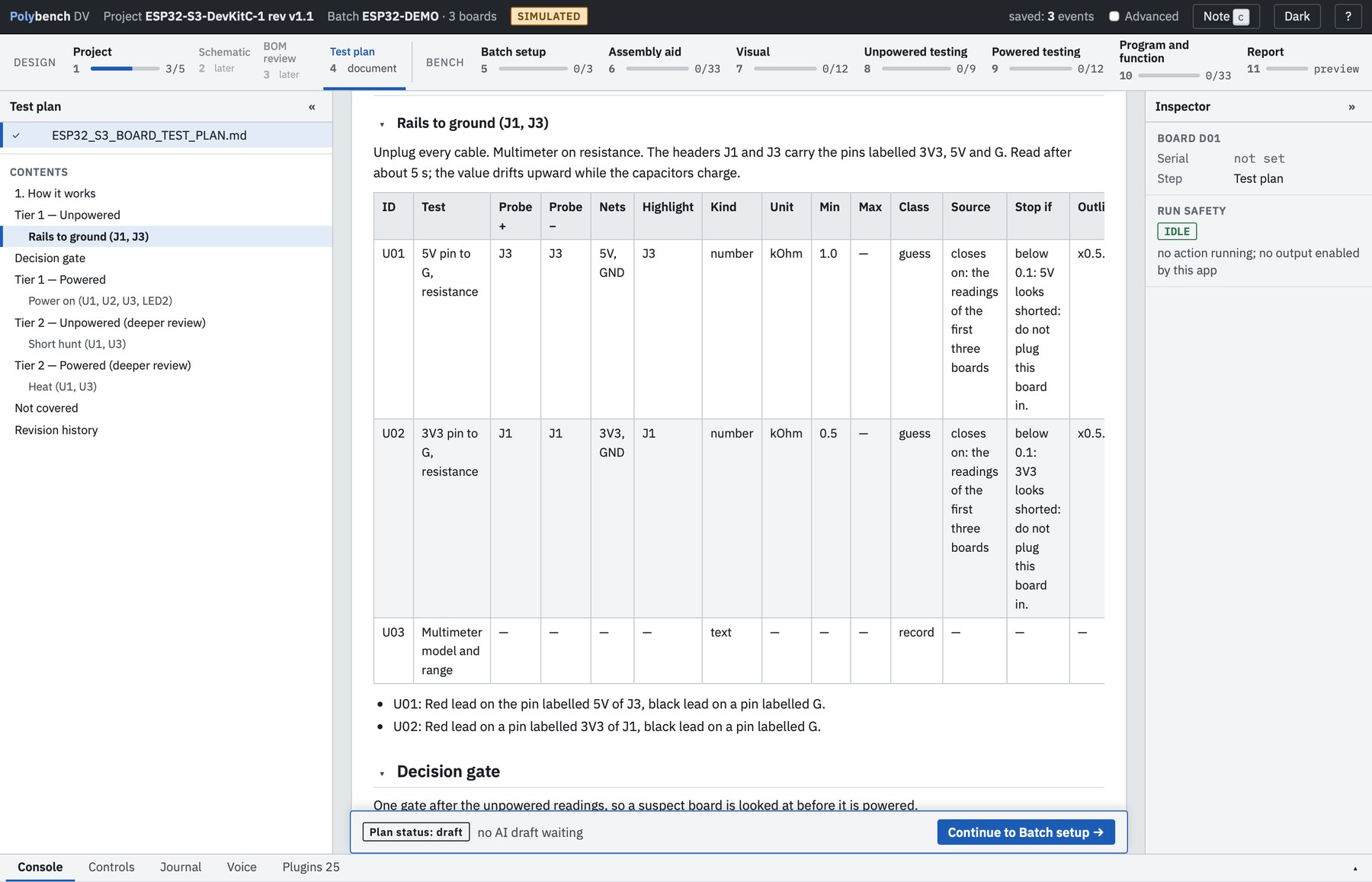
Real build, 4 boards
Scan the part. See where it goes.
Scan the reel label. Polybench finds the BOM line, highlights the part in your ECAD and shows which way round pin 1 goes on every board. It also counts what has been placed.
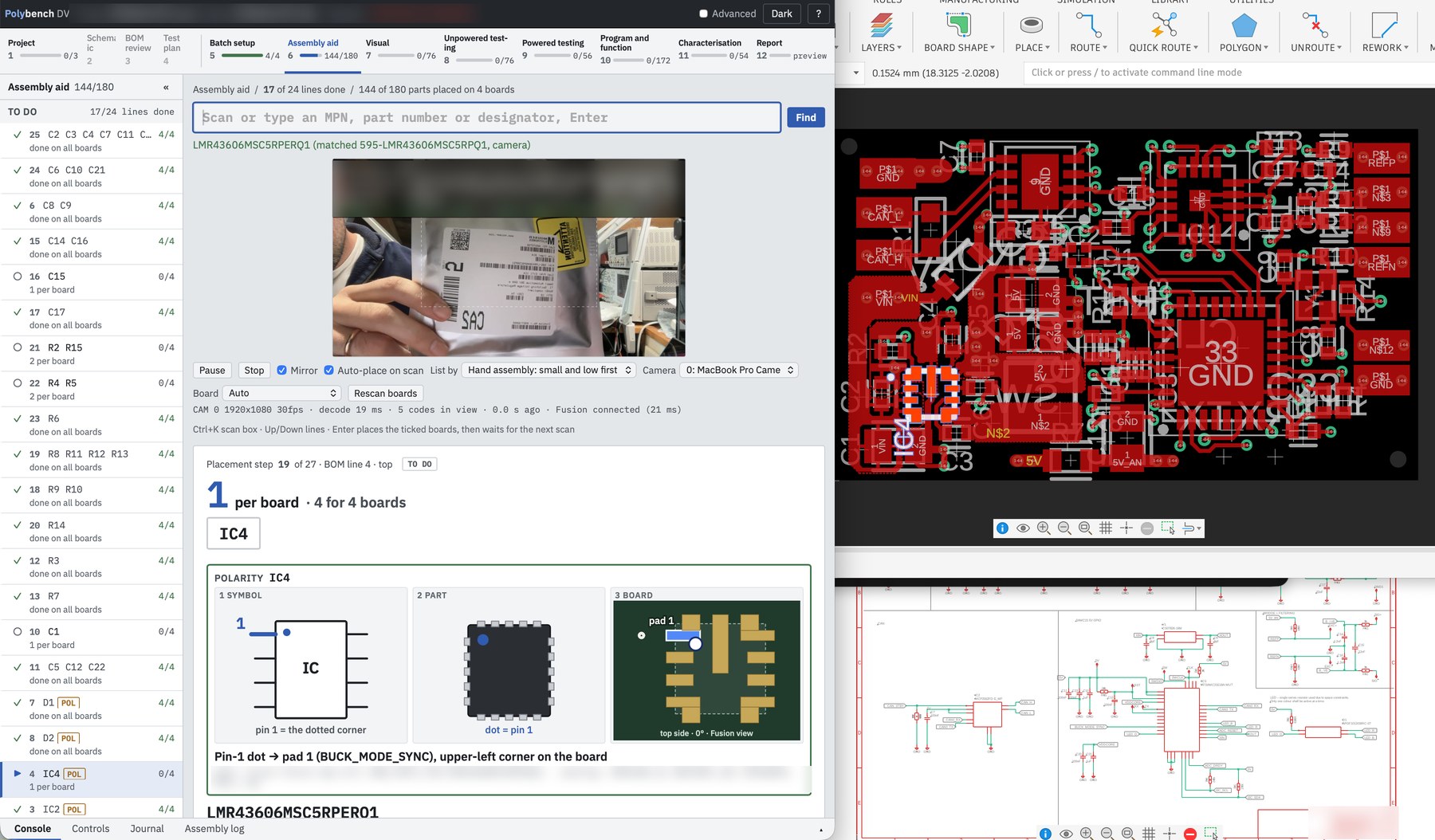
Experimental · real build
AOI compares each board with the others.
Take a photo of each board with your phone and upload it. AOI checks every joint and part against the same spot on the other boards and flags what looks different: a missing part, a bridge, a lifted pad. You decide on each one. Nothing passes just because AOI didn't flag it.
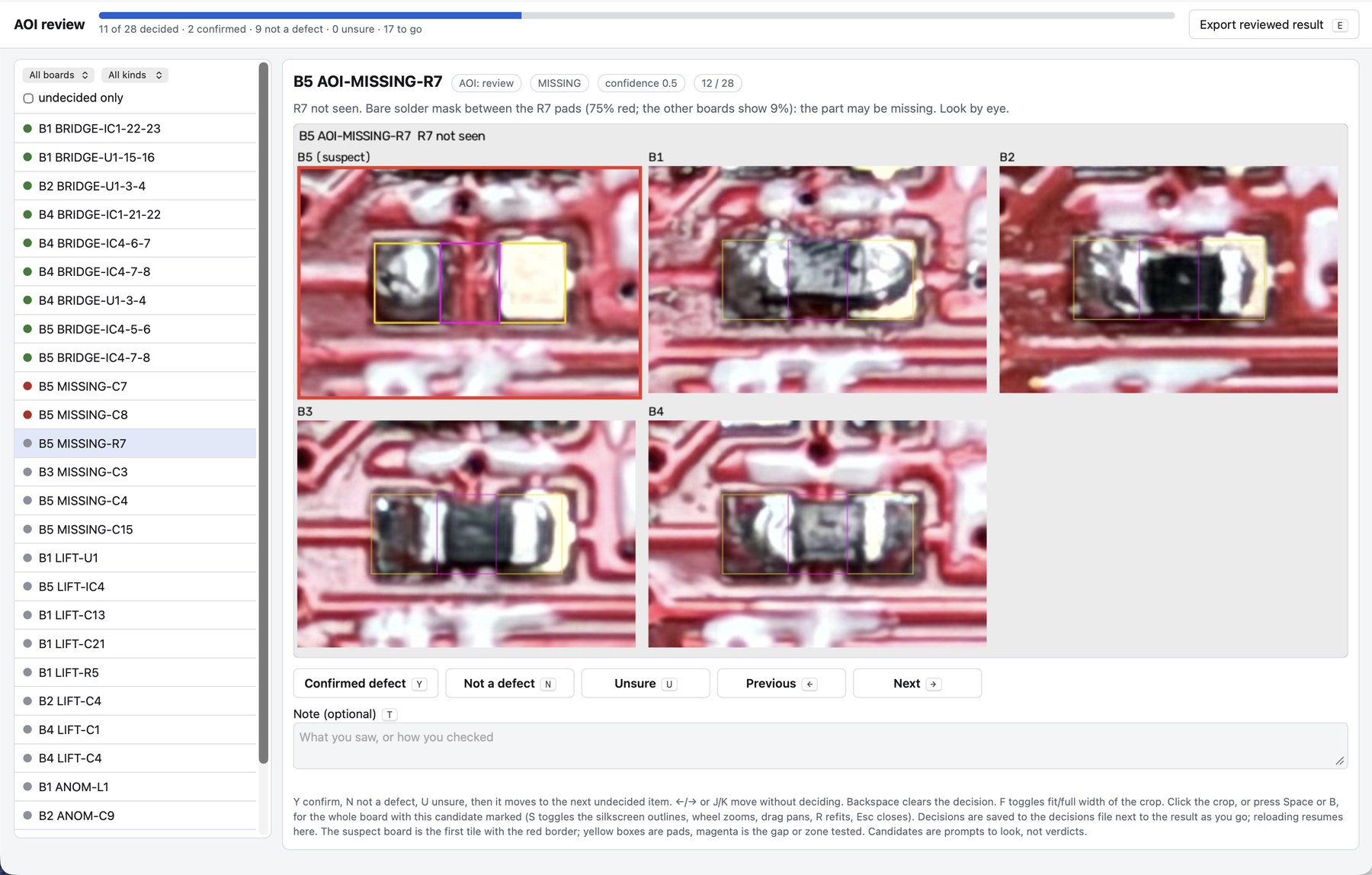
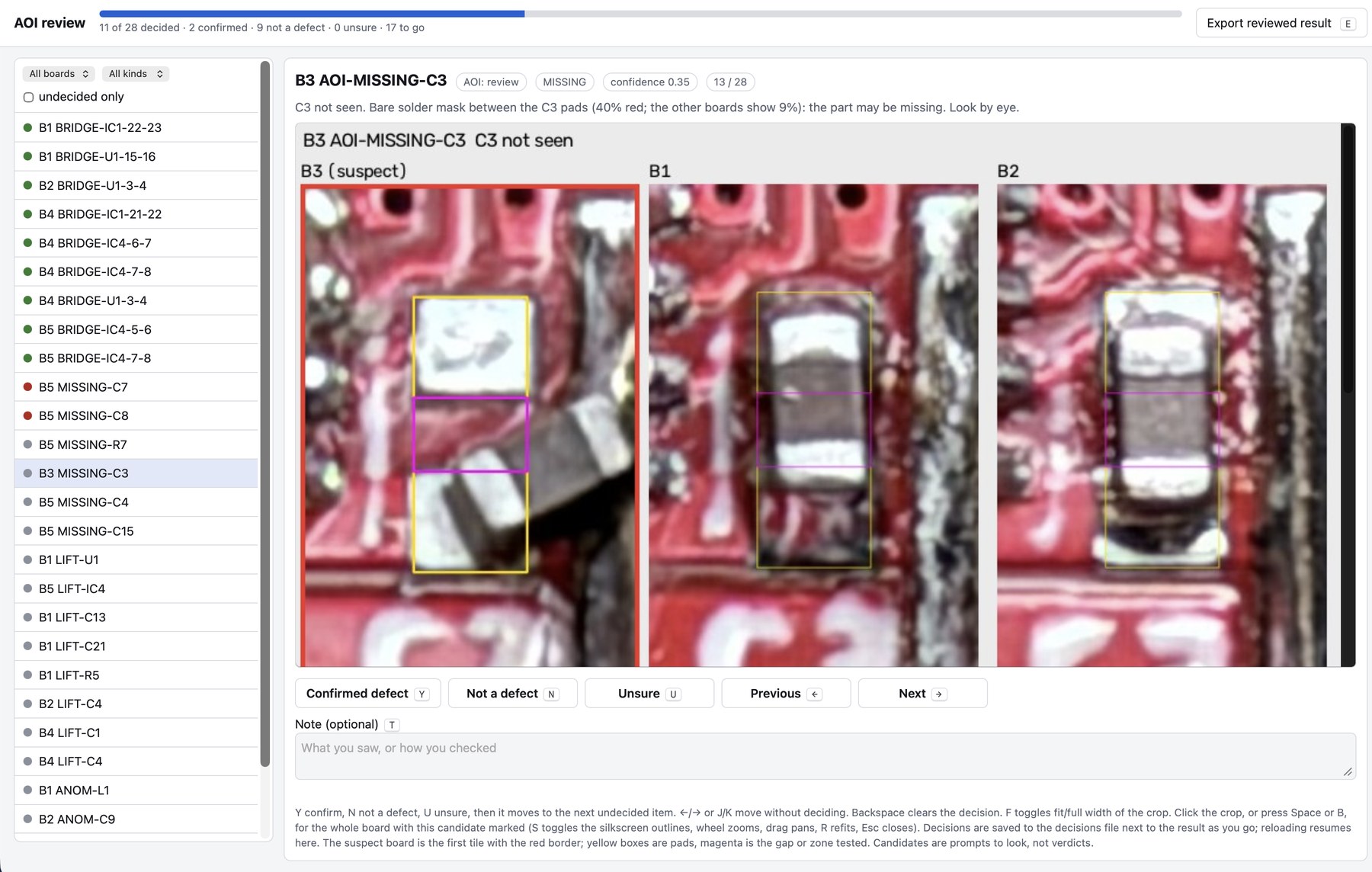
Simulator · bench hardware partly validated
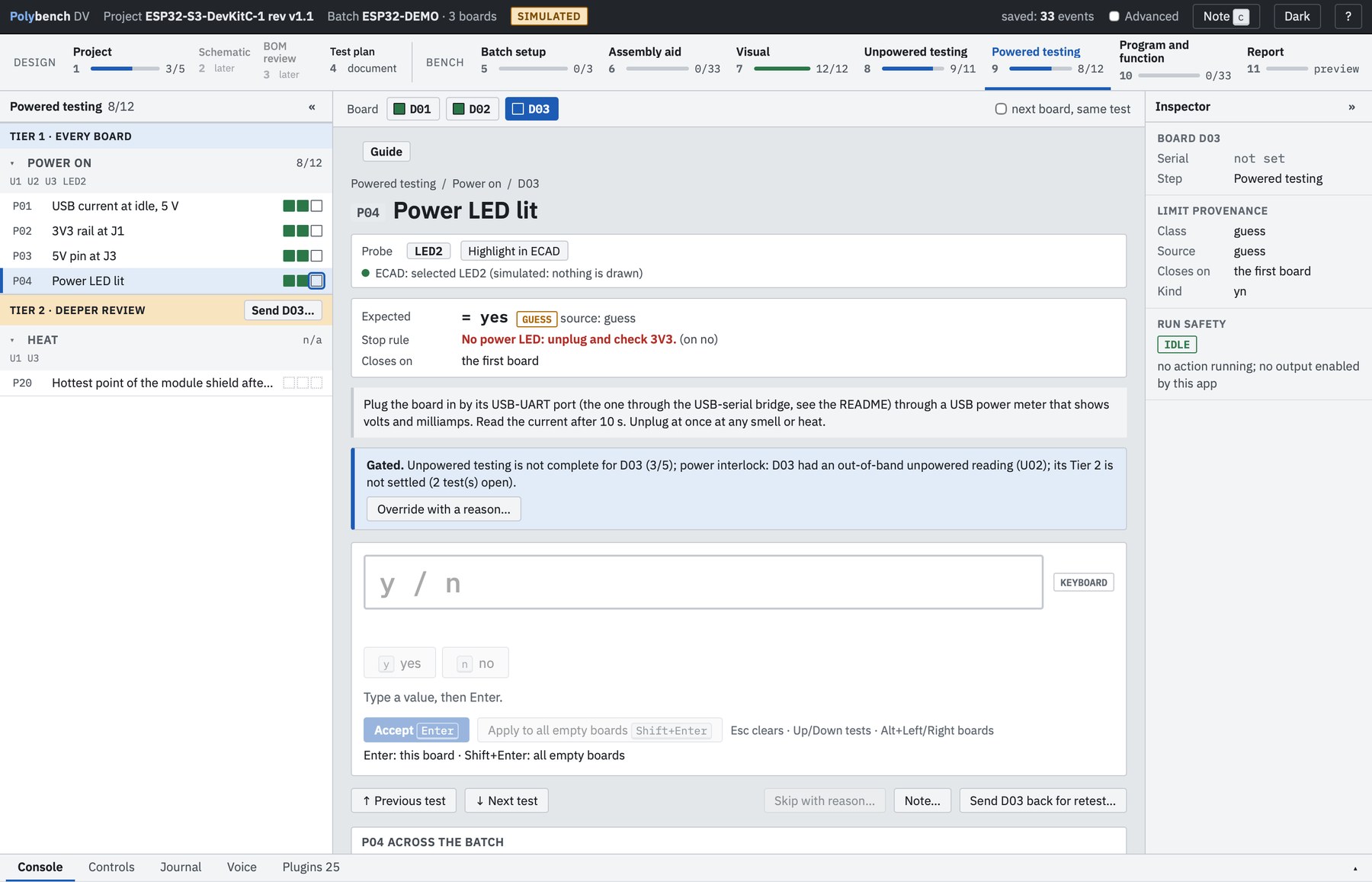
Plug-ins run the instruments. The journal keeps every result.
Power-up, flashing, serial and CAN run as plug-ins. Every value is written to an append-only journal before the screen says it's saved. A guessed limit sends a reading to review and never fails a board on its own.
ESP32-S3 example
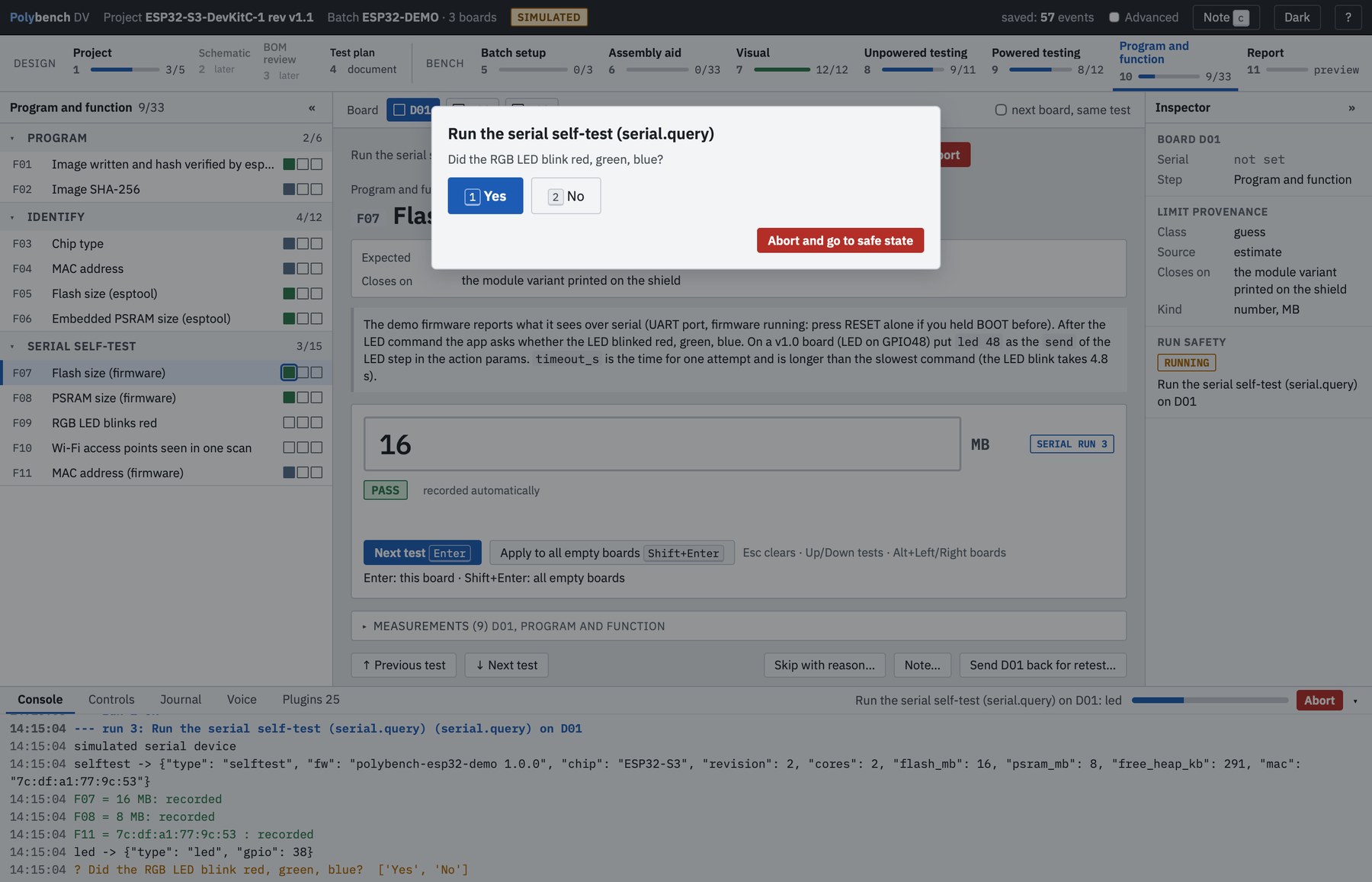
Flash test firmware. Run the function tests.
Your AI agent writes test firmware to match the plan. Polybench flashes it, runs the function tests and asks you anything only a person at the bench can see or hear.
Tested with Claude Code
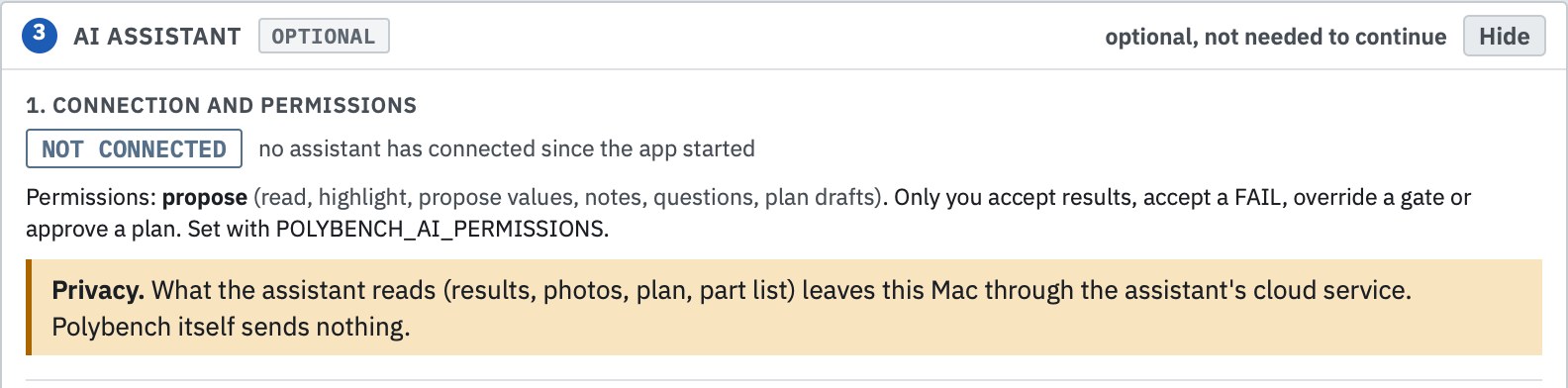
Your AI agent at the bench.
Over MCP, your local agent reads the plan, the results, the AOI findings and the ECAD. It suggests causes for a failure and the next measurement to take, and it drafts changes to the plan. You approve. Polybench sends nothing to the cloud itself.
Built from the journal
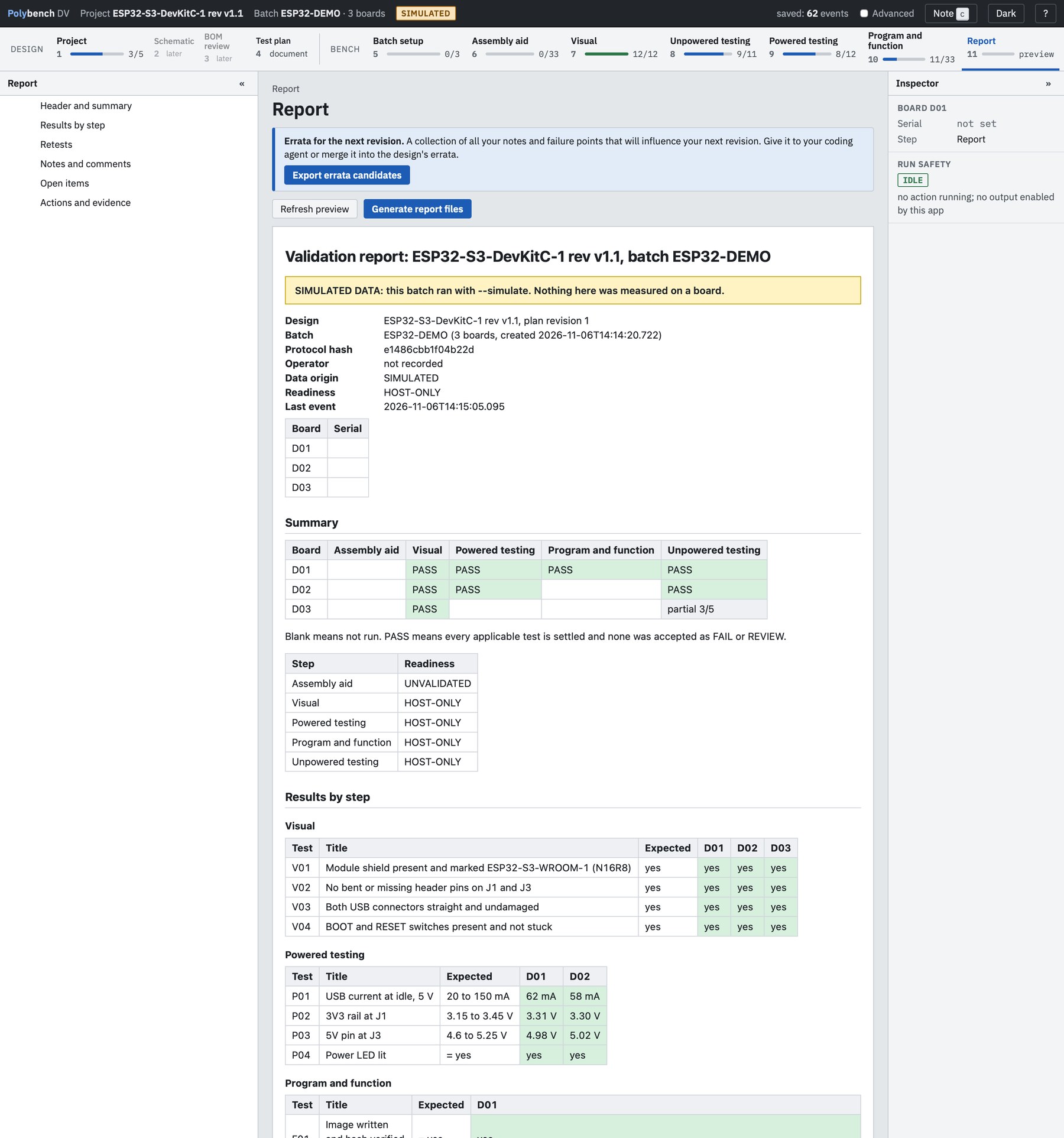
The test report writes itself.
When the batch is done, Polybench generates the validation report from the journal: every board, every reading, its limit and where that limit came from, with each pass, fail and review decision. Nothing is typed up by hand, and the report says plainly which data came from the simulator. When your agent says "it works", you have the receipts.
macOS · alpha · MIT
Try it.
One prompt for your local coding agent. It installs Polybench and runs the ESP32-S3 example, KiCad files included, in the simulator. Needs Python 3.12.
This is the prompt below. Your agent asks before each step that changes your machine.
Install Polybench from https://github.com/ems-poly/polybench-pcb-validation.
Ask me before each step that changes my machine.
Clone it into ./polybench, create a Python 3.12 virtual environment in .venv,
and install it with pip install -e .
Then run the ESP32-S3 example in simulate mode:
  .venv/bin/polybench --simulate --protocol examples/esp32-s3-board/yd-esp32-s3.pcbv.yaml
Tell me when the window is open. Then run .venv/bin/polybench ai setup and
show me the MCP commands it prints. Do not run them until I say so.
Source and docs: https://github.com/ems-poly/polybench-pcb-validation